Mechanical Keyboards
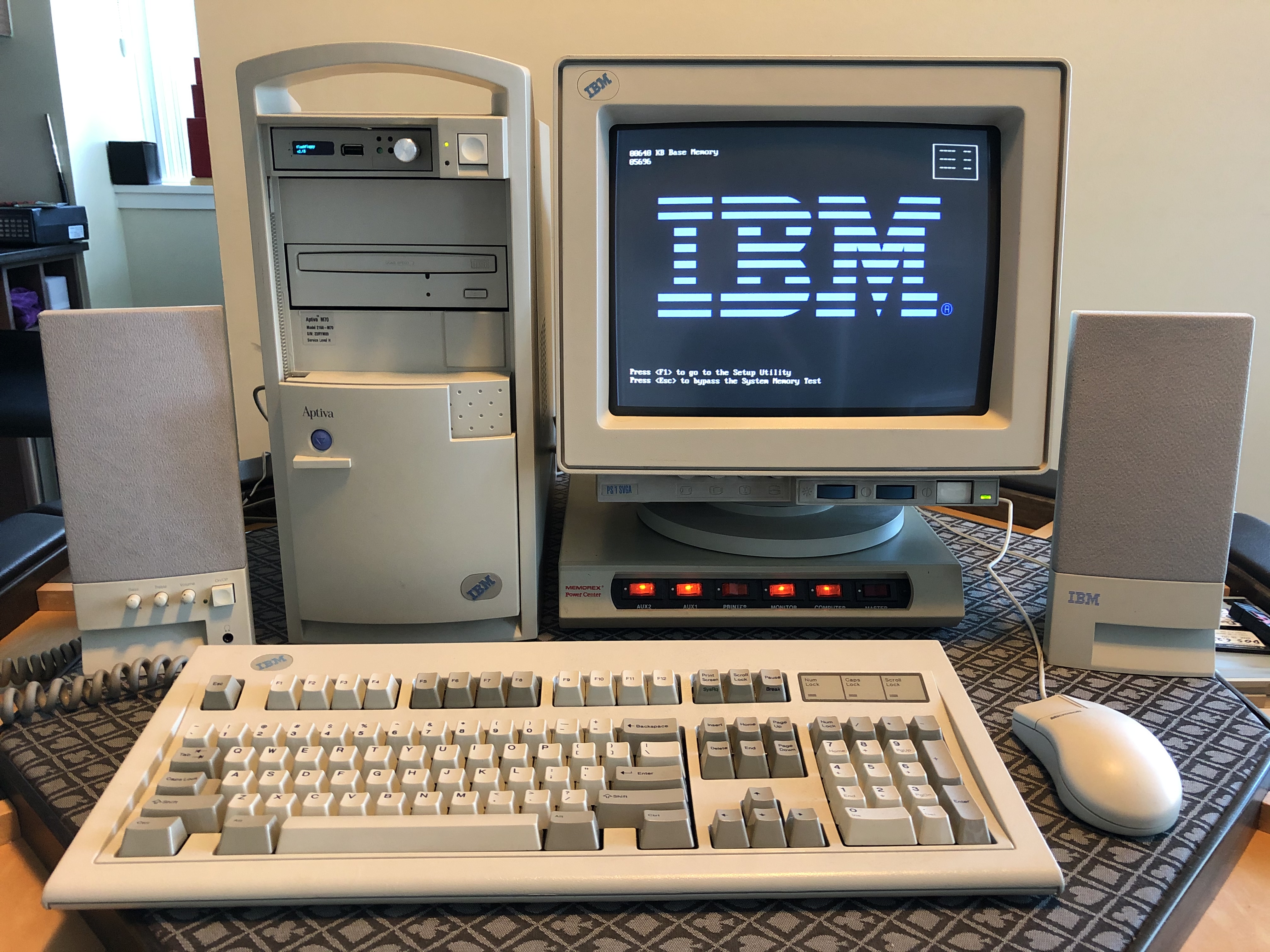
IBM Model M#
There’s not much to say here that hasn’t been explained elsewhere, but it’s important to remember that at one time it was nearly impossible to buy a new mechanical keyboard. In the late 90’s it looked like the only way to get that delicious clicky feeling was to carefully maintain your old Model M, and I did just that for decades. The future looked like a mushy, rubber-domed wasteland.
Razer Blackwidow Chroma#
I bought this in 2014 after my employer asked me to go out to buy a new keyboard for my office workstation. “Whatever you like,” they said, “expense it.” They regretted that decision after I brought this clicky green keyswitch monstrosity back.
Originally I didn’t like it. The keys were closer together than the Model M which made it feel cramped. The sound of the “Razer Green” switches were satisfying though, much to the annoyance of my coworkers. Over time I started to like it more than the Model M, mostly because the travel distance was shorter which resulted in faster typing.
I used it as my mainline keyboard for about eight years before the keyswitches started to become too mushy. It was then relegated to media PC duty for a few years before the keyswitches began to fail.
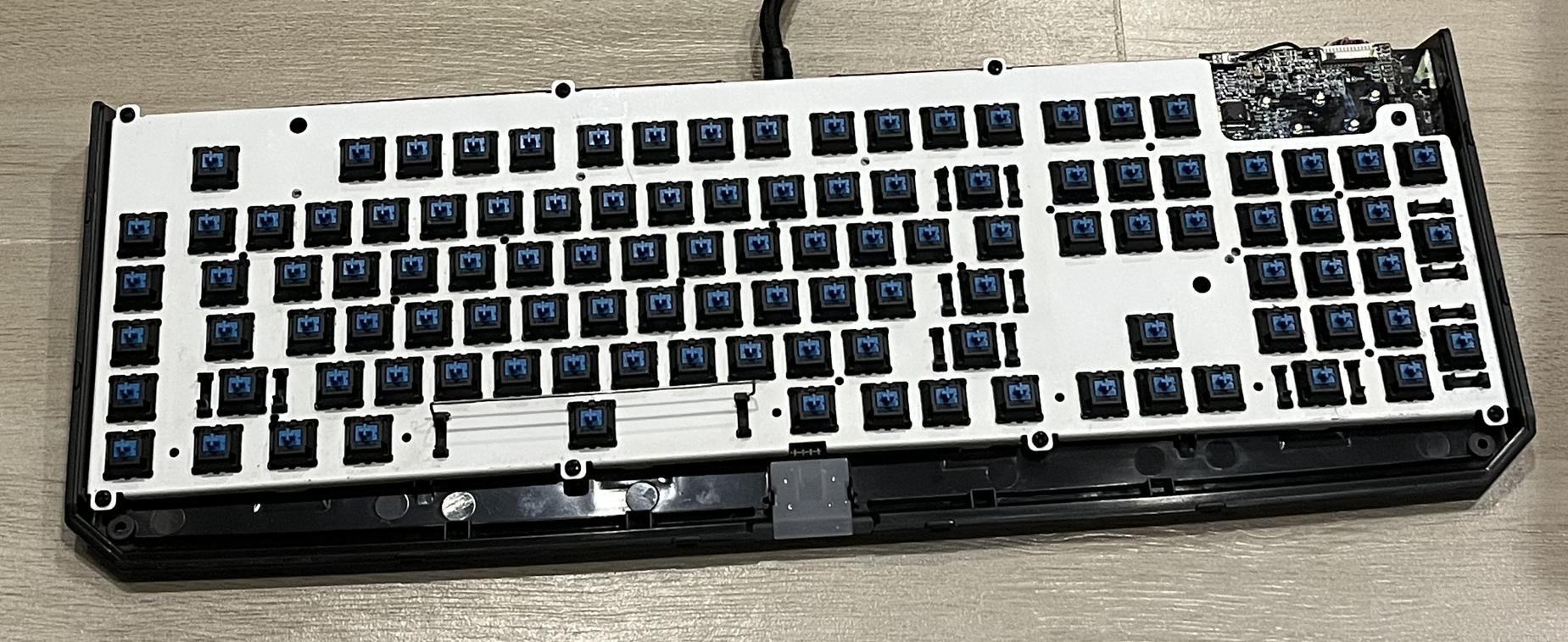
In 2026 I refurbished this keyboard by removing the failing keyswitches and installing brand new Cherry MX Blues. This was a tedious, multi-day process of desoldering six points per key (I did not reuse the RGB pads), cleaning all the through holes, installing the new switches, and soldering two points per switch. The work paid off, though: I now have a refurbished Razer Blackwidow Chroma with those deliciously clicky Cherry MX Blues. I’m not going to be mainlining it, so it should hopefully last for over a decade.
Total cost of the keyswitches and materials was about $50 USD.
Was the work worth it? Not particularly, and I doubt it could survive another refurbishment. The performance is still pretty good though, even if the keycaps are a bit worn.
But consider this: as of this writing in 2026, it’s possible that we might be seeing the death of custom-built PC’s. It’s never been more important to understand how to extract the most value out of your gear than it is right now.
Sick-68#
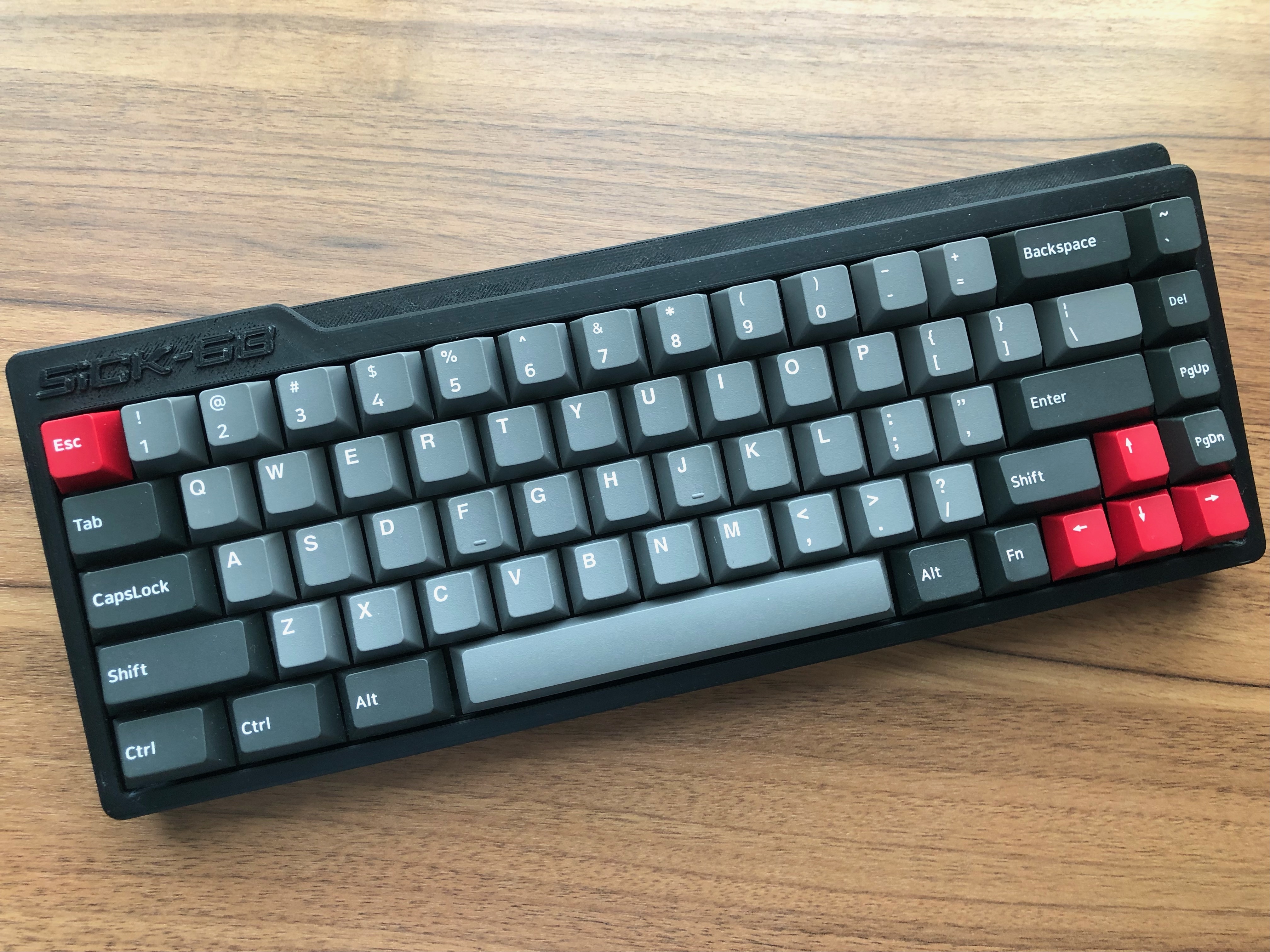
A collaboration with Deuce, this is a hand-wired experimental keyboard with a 3D printed case. I wanted to try:
- How a 65% keyboard would feel compared to full-size,
- Whether a 3D printed case could perform,
- Having 3x 1.5U keys to the left of the spacebar, and
- How authentic Cherry MX Blue switches felt.
Economically speaking, this keyboard makes no sense. It’s cheaper to buy something similar off the shelf, either pre-made or self-assembled components. But as an experimental keyboard I learned a lot:
Typing on a 65% keyboard wasn’t as annoying as I thought it was going to be. I started to enjoy the small layout very quickly and didn’t miss the numpad as much as I thought I would. A keyboard of this size is perfect for travel, server closet, media center, etc.
The 3D printed case felt sturdy and rigid. I thought it would feel cheap, “plasticy”, or flex under the weight. None of that happened. It was printed with PVC so that might have something to do with it. I didn’t experiment with any other filaments so I have nothing to compare it with, but I was impressed with the results.
The extra-sized keys to the left of the spacebar were perfect for my typing style. I tend to hit the spacebar with my left thumb below the ‘V’ key, and with most spacebars starting below the ‘X’, that’s a lot of wasted space. The middle key being used as ‘function’ to change the keyboard layer was perfect.
This is a layout nobody else uses so I don’t think I’ll find it anywhere, but it was fun to build something custom. You can download the .hex firmware I used here.
This is the keyboard that made me realize that Cherry MX Blues are my favourite switches. No need to repeat the reviews online ad nauseam, although I’m a little surprised it took me this long to give them a try. They’re fantastic.
Daeru EK1280#
A cheap $40 keyboard with “Daeru Blue” switches. Bought because I quickly needed something cheap, and I was curious about how knock-off “blues” performed. It feels cheap to type on, that’s for sure. The keycaps feel a bit loose and chunky. The switches actually sound pretty good though. For a budget/emergency keyboard it’s actually not bad.
Corsair K70#
I bought this with Cherry MX Blues in 2022, and it started getting mushy and bouncy in 2026. I really have no idea if four years of heavy use is good performance or not.
This was a really unremarkable keyboard, and considering keyboards these days are all hotswap, it’s not really a contender anymore. It’s sitting on the shelf rotting for the time being - I might be in the mood to replace the switches by hand later. Maybe.
Keychron V6 Ultra 8K#
Bought in 2026 because of the failing Corsair K70, and the only option available at the time was their “Keychron Silk Red POM” switches. I’m not much of a ’thock’ fan, but I can see the appeal. Travel time seems lower than the Corsair, closer to the Razer. If you’re a serious typist, this keyboard feels like the shorter travel would help your WPM.
Now that I’ve replaced those “Keychron Silk Red POM” switches with Cherry MX Blues, this keyboard does feel a lot more comfortable. However, I’m not too impressed with the plate being plastic - if I push down the escape key with some force, the whole board moves a good 5mm or so. Apparently, in 2026, this is entirely intentional and normal?
It might be worth getting a metal plate to replace the plastic one.
The Future#
Eventually I’d like to build a “real” homebrew mechanical keyboard from scratch. You know, full size WKL layout, hotswap PCB, heavy metallic plate.
The problem is that there are so many good mechanical keyboards on the market, and building one yourself is so much of a premium that I’m not sure it’s entirely worth it.
Also worth considering are some Cherry MX Blue alternatives. Apparently it’s normal for these to start becoming mushy after four years, which is about what I experienced on the Corsair K70. Kailh Navy sound really nice and are apparently much more durable - might be worth investigating if the latest batch of Cherry MX Blues start to go to mush around 2030.